IT Asset Recovery Guide: How to Get the Best Rebate from Old Laptops and PCs

When your business retires old IT, good prep can increase your rebate.
Poor prep can lower it and sometimes turn a rebate into a cost.
The goal is simple: send more reusable, complete equipment and less mixed, damaged, low-value waste.
Quick Answer
If you want the best return, do these first:
- Keep devices complete, including chargers and key accessories
- Do not remove storage drives unless your ITAD provider tells you to
- Separate reusable kit from recycling-only scrap
- Share a simple inventory before collection
- Declare locks, faults, and battery issues early
How Rebate Is Calculated
Your return usually works like this:
Net rebate = value of reusable assets - processing and recycling costs
If reusable value is high, your rebate goes up.
If processing-heavy waste is high, your rebate goes down.
What Usually Increases Rebate vs Lowers It
| Usually Increases Rebate | Usually Lowers Rebate |
|---|---|
| Business laptops in good condition | Very old or obsolete hardware |
| Desktops and mini PCs | Broken, incomplete, or heavily damaged devices |
| Newer monitors (especially matching sets) | Mixed unsorted cables and low-demand peripherals |
| Tablets and phones with no lock issues | Devices with missing chargers or missing parts |
| Enterprise SSDs and RAM with clear provenance | Swollen batteries and hazardous items needing extra handling |
| Genuine chargers, docks, and accessories paired to devices | Scrap fractions that require manual dismantling |
7 Steps to Get the Best Return
1. Keep Devices Complete
A laptop with its charger is worth more than one without it.
Missing accessories often reduce grade and resale speed.
2. Do Not Remove Storage Drives
Removing drives can push a reusable device into parts or scrap routes.
If security is a concern, let your provider handle certified erase or certified destruction.
3. Pack Equipment Properly
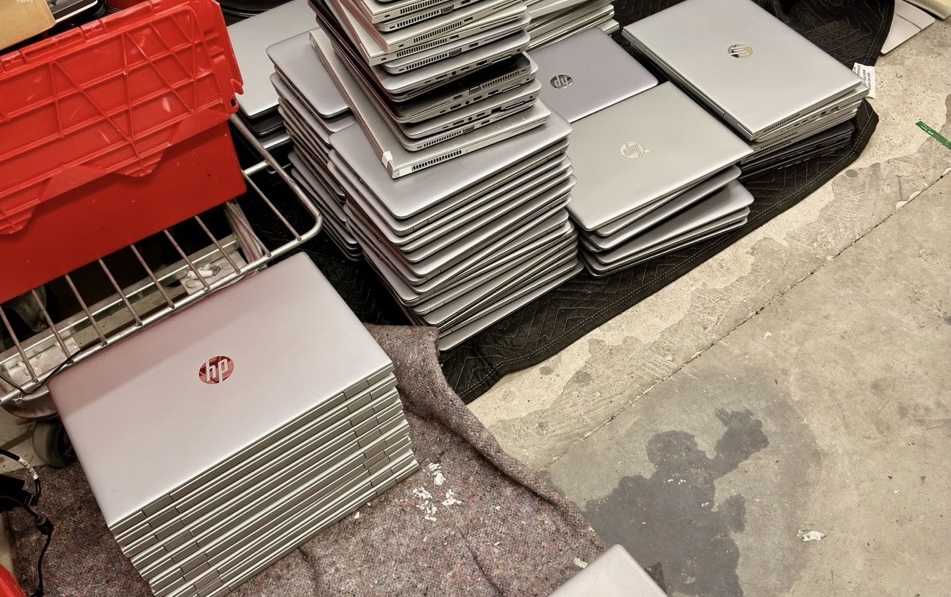
Do not throw laptops loose into cages or crates where they can scratch.
Use separated layers, dividers, or protected boxes.
4. Sort by Type and Condition
Group your load before collection:
- Reusable and working
- Faulty but repairable
- Recycling-only
This saves time and improves valuation accuracy.
5. Declare Locks and Management Status
Tell your provider about BIOS, MDM, activation, or account locks.
Locked devices can lose resale value if not cleared.
6. Isolate Damaged Batteries
Keep damaged or swollen batteries separate and clearly labelled.
This is safer and helps avoid delays and compliance issues.
7. Send a Basic Inventory in Advance
A simple list improves quote quality:
- Make and model
- Quantity
- Condition
- Known faults
- Lock status
Common Mistakes That Reduce Value
- Sending laptops without chargers
- Removing SSDs/HDDs before collection
- Mixing reusable devices with low-value scrap
- Hiding faults or lock issues
- Packing in ways that cause transport damage
Before Collection Checklist
Use this before handover:
- Devices grouped by type and condition
- Chargers and key accessories matched to devices
- Lock/MDM status documented
- Damaged batteries separated
- Inventory shared with your ITAD provider
- Collection photos taken at handover (recommended)
FAQ
Does every item have resale value?
No. Some items are reuse-ready and some are processing-only waste.
Your final rebate is based on the net mix.
Should we remove drives to protect data?
Usually no. Let your provider handle secure erase or certified destruction, with paperwork.
Why do incomplete items reduce rebate?
Because they are harder to test, grade, and resell. They often move to lower-value routes.
Can low-value items turn a rebate into a cost?
Yes. If recycling and processing costs outweigh resale value, the net result can be chargeable.
How do we get a more accurate pre-quote?
Send a clear inventory, declare condition honestly, and separate streams before collection.
Final Takeaway
If you want the strongest return, prepare assets for reuse first, not just disposal.
Better sorting, complete devices, and clean handover data can make a real financial difference.
Need help with this in your organisation?
Book the matching service directly based on this article topic.